An ExpressVPN router can sound like an easy way to put every device at home behind a VPN. But searching for one now brings up several different things: old Linksys installation guides, Aircove hardware, and advice to install apps on your devices instead.
This updated review explains what those options mean today, what to check if you already own a router running ExpressVPN, and how to choose a setup that suits your home. Our original review tested a Linksys WRT1200AC. We preserve that experience below as historical context; this update does not claim new hands-on testing of Aircove.
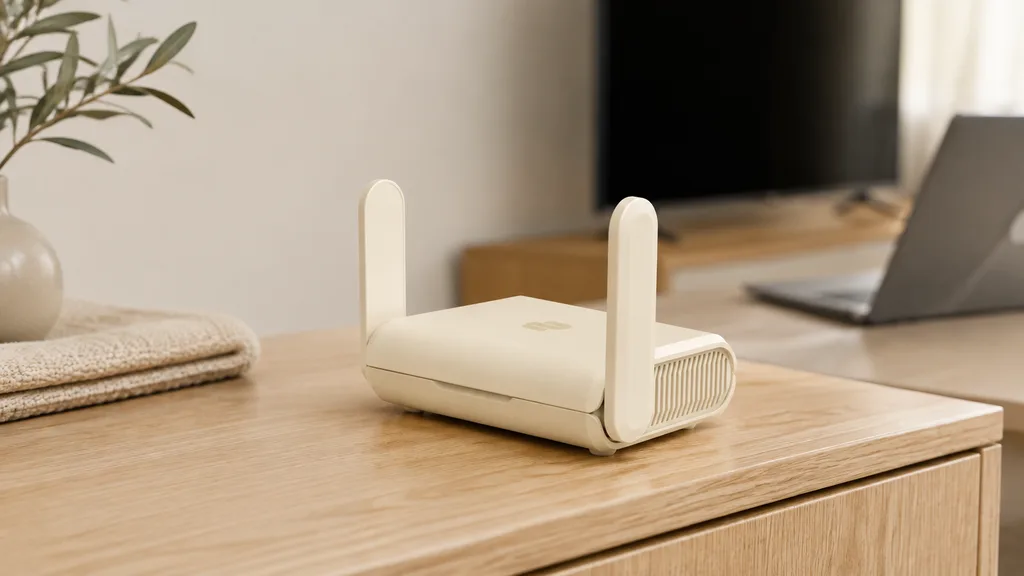
Does ExpressVPN still sell routers?
Check the current position before buying hardware. Currently ExpressVPN’s main router information page says the company no longer offers router hardware or a router app and now focuses on apps for individual devices. Its US store lists both Aircove and Aircove Go bundles as sold out.
That is different from saying existing Aircove routers have stopped working or receiving updates. Aircove’s product pages and support guides remain available, and its release notes include AircoveOS 5.5.5, released on August 17, 2026. The published security-update commitments also extend into 2027 and 2028, depending on the model.
If you find an Aircove through another seller, confirm availability, warranty terms, and the remaining support period before paying. A product listing alone doesn’t establish those details.
» Get ExpressVPN (4 month free)
Aircove, Aircove Go, and the older router app
“ExpressVPN router” can refer to three different setups. Knowing which one you have prevents you from following the wrong installation guide.
| Setup | What it is | What matters now |
|---|---|---|
| Aircove AX1800 | ExpressVPN’s home Wi-Fi 6 router with AircoveOS built in | Existing-owner setup and updates; confirm availability before considering a purchase |
| Aircove Go AXG1800 | A smaller Wi-Fi 6 router designed for travel and smaller spaces | Similar VPN controls in a portable device; check its separate support timeline |
| ExpressVPN firmware on a third-party router | The older router app installed on particular Asus, Linksys, or Netgear models | Model-specific firmware and aging security-update commitments |
| Manual VPN configuration | ExpressVPN connection details entered into another router’s own VPN client | Exact model compatibility and feature limitations; this does not install AircoveOS |
Aircove has four LAN Ethernet ports, while Aircove Go has two and uses USB-C power. ExpressVPN lists coverage of up to 1,600 square feet for Aircove and 750 square feet for Go. Those are manufacturer estimates; walls, placement, and interference affect the range you get.
Both require an active ExpressVPN subscription for VPN functionality. Without one, they can still perform ordinary router functions. Buying the hardware does not mean you receive VPN service indefinitely.
What Aircove does well, and where it has limits
The useful part of a VPN router is convenience: devices assigned to its VPN connection don’t each need their own VPN app. That can help with a game console, an older streaming box, or another device that cannot run one.
Aircove’s Device Groups let you organize connected devices with different VPN locations or settings. For example, you can put a television in one group and a work laptop in another, or let a particular device bypass the VPN. Aircove also has an Internet Kill Switch that blocks internet traffic if its VPN connection drops. Devices deliberately assigned to bypass the VPN should not be treated as VPN-protected.
Wi-Fi Link lets Aircove connect to an existing Wi-Fi network for its internet connection. That is useful where you don’t have access to an Ethernet port, although a hotel’s sign-in page can still require attention. Using the supplied Ethernet connection is a straightforward starting point at home.
The main limitation is where the protection applies. A phone that leaves the router’s network is no longer using that router’s VPN. You also share the router’s processing power and internet connection with everyone else on it. For a few phones and laptops, individual apps may be easier to manage.
ExpressVPN router firmware and security updates
An old compatibility list tells you which routers could run the software. It doesn’t tell you whether installing that firmware is a good idea today.
ExpressVPN’s published minimum security-update commitments are:
| Router | Minimum commitment through the end of |
|---|---|
| Aircove Go AXG1800 | 2028 |
| Aircove AX1800 | 2027 |
| Linksys WRT1900ACS / WRT3200ACM; Asus RT-AC68U up to v3; Netgear R6700v3 / R7000 | 2025 |
| Linksys WRT1200AC used in our original review | 2024 |
These dates are minimum pledges, not guaranteed shutdown dates. ExpressVPN says support may continue beyond them, but does not promise it. The listed periods for the third-party models above have already passed, so we wouldn’t buy one specifically to install the old ExpressVPN firmware.
If you already use one, check its installed version and current support status. A router that still connects successfully isn’t necessarily receiving security fixes. For Aircove, leave automatic updates enabled; you can check the installed version under Advanced Settings > Software Update.
Can you install ExpressVPN on an Asus, Netgear, or Linksys router?
It depends on the exact model, hardware revision, and installation method. A router advertising “VPN support” might only offer a VPN server for remote access to your home. You need compatible VPN client functionality to send the router’s traffic through a service such as ExpressVPN.
ExpressVPN still publishes manual OpenVPN instructions for selected routers, including certain Asus models. Its Asus guide, updated August 4, 2026, explains how to download a location’s OpenVPN configuration file and use the manual-configuration credentials from your account.
This is different from replacing the router’s firmware with the older ExpressVPN router app. Manual setup may offer fewer server locations and different protection features, and it doesn’t give you Aircove’s interface or Lightway simply because you use an ExpressVPN account.
Before changing firmware or buying a router, ask support to confirm your exact model and intended setup. Follow the matching guide, keep a backup of your settings, and check the router manufacturer’s own security support. Don’t upload a firmware file intended for a similar-looking model.
How to set up an Aircove you already own
Aircove and Aircove Go have a similar initial setup. For an existing unit, start with its power adapter, an internet connection, and your ExpressVPN account details.
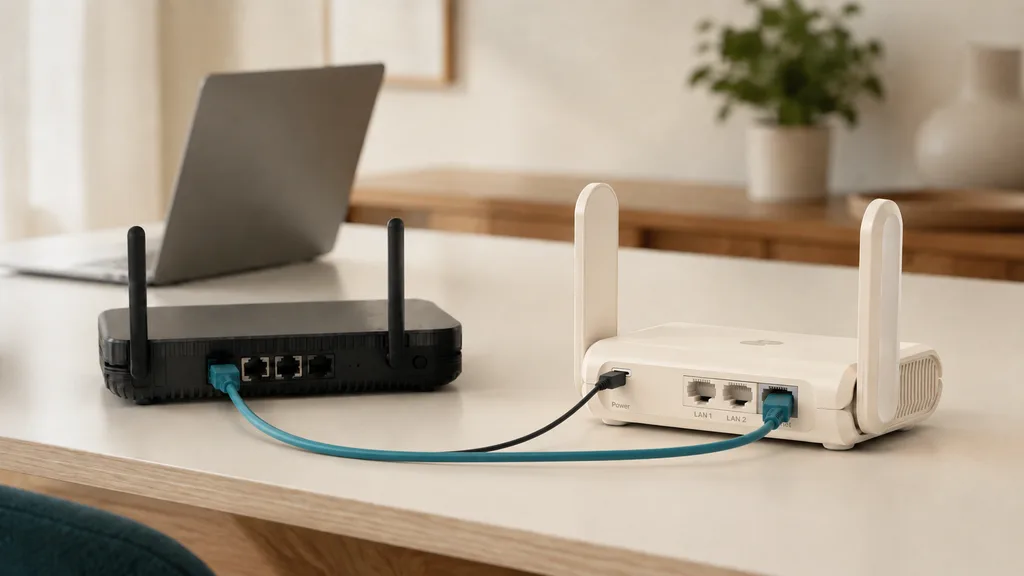
- Power on Aircove. Connect its Internet or WAN port to your modem or to a LAN port on your existing router.
- Connect a phone or computer to Aircove’s Wi-Fi using the network name and password on its underside label. If you previously changed them, use your current credentials.
- Enter expressvpnrouter.com in that device’s browser address bar and follow the setup prompts.
- Complete the internet-connection check. Enter ISP connection details only if your connection requires them.
- Sign in to ExpressVPN using the activation method shown. The published setup guide uses your account’s activation code.
- Choose a Wi-Fi name and password, set a separate dashboard password, and allow available software updates to finish.
- Reconnect to the renamed Wi-Fi network, select a VPN location, and confirm that the devices you want protected belong to a VPN-enabled group.
If you keep your original router’s Wi-Fi running, give the two networks distinct names. A television connected to the original network won’t automatically use Aircove’s VPN. For casting or local file sharing, keeping the participating devices on the same local network also avoids unnecessary complications.
ExpressVPN router login: which password do you need?
The dashboard password, Wi-Fi password, and ExpressVPN account credentials serve different purposes. To open the router dashboard, connect to that router first and enter expressvpnrouter.com directly in the browser. Use the dashboard password you created during setup, not your Wi-Fi password.
If the page doesn’t open, check that the device hasn’t switched to mobile data or another Wi-Fi network. If you have forgotten the dashboard password, follow the model’s recovery instructions before resetting anything; a factory reset removes settings and means setting the router up again.
Speed and reliability: what our old test can tell you
Our original test used a Linksys WRT1200AC connected behind another router in Beijing on China Unicom. We reported about a month of stable use and found it convenient to switch between the regular and VPN Wi-Fi networks.
The recorded download results were roughly 31 Mbps without the VPN and 15 Mbps through ExpressVPN’s Hong Kong 1 location. The original article noted that the non-VPN result reflected local connectivity within China. This was not a controlled comparison of identical routes, and those old numbers should not be used to predict today’s Aircove performance.
For your own setup, compare speeds with the VPN off and on using the same device and test server. Start near the router or use Ethernet to reduce Wi-Fi interference. Then check actual playback or calls while other household devices are connected. Our guide to testing a VPN’s IP address and speed explains the basic checks.
If the internet works without the VPN but fails when you connect, check for updates, try another VPN location, and record the error before contacting support. If just one streaming service fails, test that separately; a connected VPN doesn’t guarantee access to every streaming title.
What to use if you’re choosing a setup now
For supported phones, computers, and streaming devices, start by checking the native app. You can choose a server on each device, and a phone or laptop can keep using the VPN when it moves to another network. A router setup is most useful when it solves a device limitation or a specific household need.

Apple TV is a good example of how the advice has changed. Apple TV HD and 4K models running tvOS 17 or later can use ExpressVPN’s own app. If that is the device you’re trying to protect, our ExpressVPN on Apple TV setup guide covers direct installation and the options for older models.
For devices without a suitable app, a compatible manual VPN router or a shared computer connection may still be worth investigating. Confirm the specific method works for your hardware before committing to a subscription or extra equipment.
What about an ExpressVPN virtual router?
A virtual router usually means a computer sharing its connection through a Wi-Fi hotspot. On Windows, the PC runs ExpressVPN and shares the VPN adapter’s connection with other devices. It can be useful for occasional use, but the PC must remain on and awake.
Turning on a hotspot alone doesn’t prove that its traffic passes through the VPN. Use the current ExpressVPN Windows connection-sharing instructions and test from a connected device. MediaStreamer is another option for certain streaming devices, but it is a DNS service and does not provide VPN encryption.
For broader service details and our testing from mainland China, see our ExpressVPN review and China test results. If the app approach fits your devices, compare ExpressVPN’s current subscription plans, including the simultaneous-device allowance and renewal terms.
Our verdict on ExpressVPN routers today
An existing Aircove can still be useful if you value its device grouping and want VPN access on hardware without an app. Keep it updated, check which network your devices actually use, and plan around its published support commitment.
For a new setup, we would first check the apps for the devices you own. We would not buy an old Linksys router on the strength of our historical review, and we would confirm Aircove availability and support directly before purchasing remaining stock elsewhere.
The right choice is the one you can maintain and verify. If native apps cover your needs, you can check ExpressVPN’s current offers without adding another router to your home network.